
Play in Match Exchange — Live Match Odds, FancyBet and Binary on One Quick Slip
Play in Match exchange is the Exch tab in the PlayinMatch bottom menu, where you take a price on a live market and confirm it on a bet slip. Three market types live there — Match Odds, FancyBet and Binary — and a single slip handles all of them, with editable quick-stake chips and a keypad.

That table is the whole map. Everything below is just each row opened up, in the order you will actually meet them on a PlayinMatch phone screen.
Play in Match Exchange Slip — Official Layout With Quick Stakes
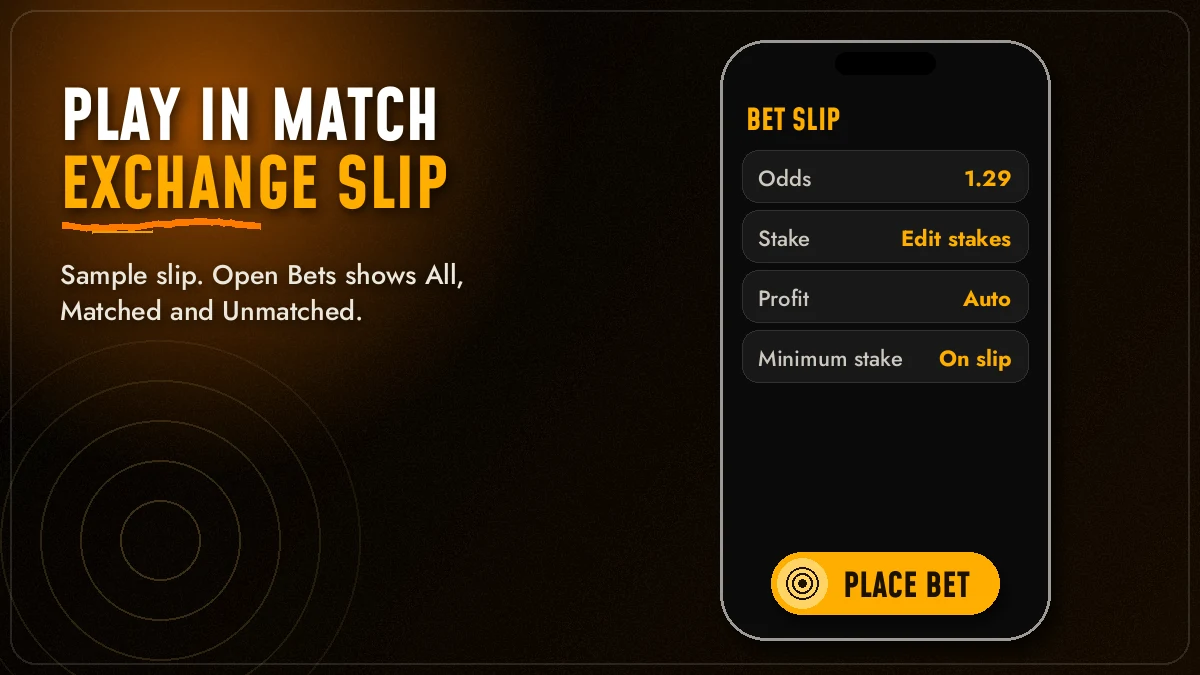
Here is the slip first, because every PlayinMatch exchange action ends on it. The mock below copies the order of the real rows; the numbers are only there so the maths is readable.
Sample slip · illustrative values
England v Sri Lanka - Match Odds
Minimum stake line · shown on the live slip for each market
Odds, Stake, Profit. Tap a price on PlayinMatch and the odds land in the first box on their own. You type the stake. Profit fills itself in — odds minus one, times the stake — so on the sample 1.85 at 1000 shows 850. If you pick from the Lay column instead, the third box changes its label to the amount at risk rather than a profit figure.
Quick-stake chips. Six chips sit under the rows. One tap drops that amount into Stake, a second tap on another chip replaces it. The values on the sample are placeholders; tap Edit Stakes on your own PlayinMatch slip and set the six you really use.
Keypad and minimum line. The keypad is for odd amounts the chips do not cover. Directly below it the slip prints the minimum stake for that market, and a stake under that line simply will not submit — worth a glance before you blame the network.
Most first-week slip errors on PlayinMatch probably come from one thing: a chip tapped twice by a fat thumb. Read the Stake box, then confirm.
PlayinMatch Slip Will Not Place — Quick Fixes That Work
When the confirm button does nothing, it is almost always one of four things, and the PlayinMatch slip usually tells you which if you look at it for a second longer.
- Stake under the minimum line. Raise it to at least the figure printed under the keypad.
- The price moved. With Accept Any Odds or Accept Any Price switched off, a moved FancyBet or Binary line sends the slip back. Tap the new price.
- Balance short. The stake is larger than what is in the wallet; a UPI top-up usually reflects in a moment.
- Signed out. A session that timed out shows prices but will not accept a slip. Log in again and the slip reopens.
None of these need the support desk. If the slip still hangs after all four are ruled out, then it is worth opening live chat inside the PlayinMatch app with the event name and the time.
PlayinMatch Exch Tab and Match Odds — Fast Route to a Live Price
Tap Exch, the first icon in the PlayinMatch bottom menu, open any fixture, and the first market staring back at you is Match Odds. FancyBet and Binary hang off that same event page.
The bottom menu on the PlayinMatch mobile lobby reads Exch · Sports · Home · In-Play · Account. Exch and Sports look similar at a glance, and people mix them up. They are different books. Sports is the sportsbook, where the house sets the price. Exch is the exchange, where the prices on screen come from other players' offers, which is why they tick up and down even between deliveries.
- Sign in first. Prices show without an account, but the slip will not open. Use the PlayinMatch login with your username or email and come back to Exch.
- Pick the sport row. Cricket sits on top most days; soccer and tennis follow, each with a live counter showing how many events are running right now.
- Open the event. The market title reads like "England v Sri Lanka - Match Odds". That line is your check that you are on the right fixture.
- Tap a price. The Back column or the Lay column, on the team you want. The slip slides up with the odds already filled.
- Stake, check, confirm. Chip or keypad, read the Profit box, place it.
Five steps, maybe fifteen seconds once your thumb knows the screen.
| PlayinMatch tab | Who sets the price | What you will notice |
|---|---|---|
| Exch | Other players' offers | Two price columns, Open Bets with a matched and unmatched split |
| Sports | The sportsbook | One price per outcome, bets accepted or refused straight away |
That table explains most of the confusion people bring to the desk. If you placed something on Sports and went looking for it under Unmatched, it will never be there, because a sportsbook bet has nobody to wait for.
Two more ways into the same markets exist. The side menu carries Exchange - InPlay, which filters the PlayinMatch exchange down to events already underway, and the lobby's Live Sports card jumps straight to a live cricket, soccer or tennis match with its Play Now button. For the full list of competitions covered — IPL, Big Bash, PSL, CPL, Ranji Trophy, Premier League, the Grand Slams and the rest — the PlayinMatch live sports schedule lays them out by sport.
The PlayinMatch exchange draws from the same wallet as the casino. Top up through UPI, VISA, Skrill or Net Banking and most deposits show straight away, so the slip rarely waits on money. Winnings go back the same way; the official FAQ puts most withdrawals at two to three hours, depending on the method — details on the PlayinMatch withdrawal time page.
One small thing I would add. Match Odds on a long Test can sit open for five days, and the price on day one looks nothing like the price after lunch on day four. Nothing is wrong with the slip when it shows a different number than it did this morning — the market moved, thats all.
And if the PlayinMatch address itself stops opening one day, that is a different problem with a simple answer. Betting domains get blocked in India from time to time; when one address goes dark, the same PlayinMatch account opens on the next working address with the same balance and the same open bets. Skip the lookalike listings that show up in search and go through the official route only.
PlayinMatch FancyBet With Accept Any Odds — Quick Confirm on Fast Lines
FancyBet is the second PlayinMatch market type, and its main quirk is speed. It sits in its own tab beside Match Odds on the same event, and in practice it is where most cricket followers spend the innings, because its lines open and shut while the over is still being bowled.
That speed is exactly why PlayinMatch gives FancyBet its own switch in settings: Accept Any Odds.
Switch on. You tap a FancyBet price, the line shifts before you confirm, and PlayinMatch places the bet anyway at whatever the new odds are. Fewer rejected slips, but you may get a slightly different number than the one you tapped.
Switch off. If the odds change between tap and confirm, the slip stops and asks you again. Slower, and on a busy over you will see it a lot, but the price you place is the price you saw.
Which is better? Hard to say — it depends how you use FancyBet. People who fire quick stakes in the middle of a powerplay tend to keep it on, since a rejected slip there usually means the line has closed by the time they retry. People who place one considered bet per session usually prefer it off. Try both over a couple of matches and keep the one that annoys you less.
A practical note. The switch is per market type, not per bet, so flipping it on for FancyBet does nothing to your Match Odds or Binary slips on PlayinMatch.
PlayinMatch Binary and Accept Any Price — Clear Setting for the Third Market
Binary is the third market type on the PlayinMatch exchange, and it gets a separate setting called Accept Any Price.
Notice the wording. FancyBet says odds, Binary says price. That is not a typo in the PlayinMatch settings screen; Binary lines are quoted as a price rather then the decimal odds you see on Match Odds, at least as far as the settings wording suggests, so the switch is named to match. It behaves the same way, though: on means the slip accepts a moved price, off means a moved price sends the slip back to you.
Three market types, three habits. Match Odds for the result, FancyBet for the fast in-innings lines, Binary for the price-quoted markets — and two acceptance switches, one for each of the fast types. Set them once in PlayinMatch settings and forget them.
Where do you find Binary? On events that carry it, the tab shows beside Match Odds and FancyBet in the event view. Some fixtures list fewer than three. If you open an event and see only Match Odds, the other two are not offered on that match — nothing is hidden, and nothing is broken on your PlayinMatch account.
Play in Match Exchange Search Terms — Official Names Verified
People reach the play in match exchange from many searches. Some type playinmatch, some type the spaced play in match, and some remember the older PlayinMatch99 or PlayinMatch 99 form from the ticker. All of them land on one lobby: playinmatch online and play in match online are the same account in a browser, and the playinmatch app, the playinmatch apk and the playinmatch app download apk old version requests all end on the same Exch tab once installed. The playinmatch install takes a couple of minutes after the playinmatch app download; on a browser, playinmatch com mobile works too, and the play in match login or playinmatch com mobile login screen asks for your username or email plus password. Want an account first? The phrase join playinmatch leads to the OTP sign-up.
| Search | Where it lands on PlayinMatch |
|---|---|
| playinmatch online live sports | Live Sports card, Exch and Sports tabs |
| playinmatch live app | Same lobby with the live counter |
| playinmatch live score today | Match view above Match Odds |
| playinmatch game · play in match casino | Home tiles and Live-Casino |
| playinmatch com slots · playinmatch aviator | Slots menu and the Spribe crash tile |
| play in match ice fishing | Game show row in the casino lobby |
- playinmatch withdrawal time
- Usually two to three hours, depending on method.
- playinmatch withdrawal problem
- Keep the UTR from your bank app ready, then give the bank one cycle before chasing it.
- playinmatch customer care number
- Live chat inside the app is the main channel, 24x7.
- is playinmatch safe
- Use only the official address; skip lookalike listings.
On every one of those routes the play in match exchange works the same: three market types, one slip, the Open Bets filters and MultiMarket.
PlayinMatch Open Bets — Clear View of Matched and Unmatched Stakes
Open Bets is where a PlayinMatch exchange bet goes after you confirm it, and the first thing to understand is that confirmed does not always mean matched.
On an exchange your bet needs someone on the other side at your odds. If there is one, it matches at once. If there is not — say you asked for a better price than anyone is offering — it waits as unmatched until somebody takes it, or until you pull it. PlayinMatch splits the list three ways so you can tell which is which.
| Filter | What you see | What you can do |
|---|---|---|
| All | Every open bet on the PlayinMatch exchange, matched or not | Scan the day at a glance |
| Matched | Bets already paired at your odds | Nothing to change; they settle with the market |
| Unmatched | Bets still waiting for a taker | Cancel one, Cancel All, or keep At In-Play |
Cancel All. One button clears every unmatched bet at once and the stake goes back to your PlayinMatch balance. Matched bets are not touched by it — they are already live contracts, and no button reverses them.
At In-Play. Place an unmatched bet before the toss and you get a choice for when the match goes live: let it lapse, or keep it At In-Play so it stays in the queue once play starts. Keeping it is handy if you set a target price and do not mind it matching mid-innings. Letting it lapse is safer if your price only made sense before the first ball.
I used to think Cancel All would be the most used control here. It is not. Most players on PlayinMatch never touch it; they cancel single bets from the Unmatched filter, one by one, because they want to keep the other two waiting. Cancel All earns its place in one situation — a wicket falls, prices jump, and you want every stale request gone in one tap.
If a bet you are sure you placed is missing from all three filters, check your statement under the Account tab before you raise it with support. Nine times out of ten it matched and settled already.
PlayinMatch MultiMarket — Best Way to Follow Several Live Markets
MultiMarket puts several PlayinMatch exchange markets on one screen, so you watch them together instead of hopping between events.
You open it from the side menu, the same list that holds Exchange - InPlay, Sportsbook - InPlay, Live-Casino and Slots. Add the markets you want to follow and they sit together on the MultiMarket screen, prices updating in place, until you take them off again.
A typical PlayinMatch MultiMarket evening looks something like this. Say a player in Pune on an IPL double-header Sunday: both Match Odds markets on the screen, the FancyBet tab of the evening game beside them, and nothing else. Where it helps most:
- An IPL double-header evening, both matches' Match Odds side by side.
- One cricket fixture with its Match Odds and FancyBet tabs next to each other.
- A Premier League match live alongside a Test that is heading into its last session.
Each market on the screen keeps its own two price columns, Back beside Lay, and tapping any price opens the same PlayinMatch slip you already know — chips, keypad, minimum line and all. Nothing about placing changes; only the the view does.
A small caution from experience: keep it to three or four markets, not ten. On a phone, ten live markets means scrolling, and scrolling past a price that moved is how people end up tapping the wrong row. Keep MultiMarket short and the PlayinMatch live score view open in the other tab if you want the ball-by-ball context.
PlayinMatch Exchange Settings — Default Stake and Quick Odds-Change Alerts
Two settings shape how the PlayinMatch exchange feels every single day, and both take under a minute.
Default stake earns its keep on in-play cricket. Whatever number you save there is sitting in the Stake box every time a PlayinMatch slip slides up, so a price tap goes straight to confirm with nothing typed. The six chips then cover the odd over where you want to go bigger or smaller.
Highlight when odds change is quieter than it sounds. It just makes a moving price flash so your eye catches it. Leave it on. On a busy in-play screen, especially in MultiMarket, it is the difference between seeing a shift and missing it.
The bonus toggles sit in the same account area. "Receive all bonuses?" decides whether bonus offers are applied to you at all, and the casino side has its own "Remove wager bonus?" option. Neither affects how an exchange slip places; they matter more for the wallet side, where bonus money is checked before any withdrawal goes out. The only bonus figure PlayinMatch lists on its lobby is the ₹300 referral.
PlayinMatch Live Casino Tiles Next to the Exchange — Quick Switch
Between innings, the same PlayinMatch balance works on the casino floor. These four tiles sit a thumb away from Exch on the Home tab, and a few of them are cricket-flavoured on purpose.


Cricket War and Horse Racing are lobby tiles of their own; roulette comes in several versions, Winmatch Roulette and Ultimate Roulette among them. The full studio list — eighteen providers, Evolution and Ezugi included — is on the Play in Match casino page.
Play in Match Exchange FAQ — Quick Official Answers
What is the PlayinMatch exchange?
The PlayinMatch exchange is the player-priced side of the lobby, reached through Exch in the bottom menu or Exchange - InPlay in the side menu. Match Odds, FancyBet and Binary are its three market types, and one shared slip with editable quick-stake chips and a keypad places all of them.
How do I use MultiMarket on PlayinMatch?
Open MultiMarket from the PlayinMatch side menu, then add the markets you want to follow. They stay on one screen with live prices, and tapping any price opens the normal bet slip. Keeping three or four markets there is easier to follow on a phone than ten.
What does Accept Any Odds mean on PlayinMatch?
Accept Any Odds is a PlayinMatch setting for FancyBet. When it is on, a bet goes through even if the odds move between your tap and your confirm. When it is off, a moved price stops the slip and asks you again. Binary has its own version called Accept Any Price.
Can I cancel an unmatched bet on PlayinMatch?
Yes, an unmatched bet on PlayinMatch can be cancelled from the Unmatched filter in Open Bets, one at a time or with Cancel All. The stake returns to your balance. Matched bets cannot be cancelled. You can also keep an unmatched bet At In-Play so it stays queued once the match starts.
Play in Match Exchange Searches — Popular Live Variants
- play in match exchange
- playinmatch exchange
- playinmatch exchange inplay
- playinmatch multimarket
- playinmatch fancy bet
- playinmatch binary
- playinmatch exchange kaise use kare
- playinmatch match odds
- playinmatch open bets
- playinmatch sportsbook live